If you need to go back and modify data from a prior month in order to apply corrections, follow these steps:
At the bottom right of the Dashboard under Processed Months,
select the most recent month (you must open each month to get back to requested month) filed using the dropdown.
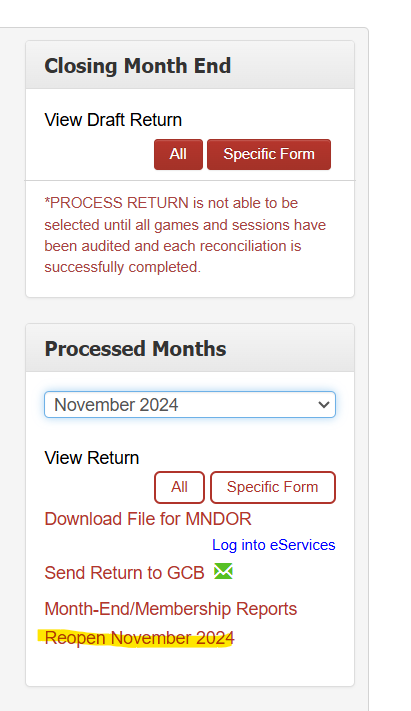
The very bottom link under the selected month offers you the option to re-open the month: Click Reopen Month which will take your dashboard back to the previous month.
NOTE: If you need to make changes to data from several months back, you can reopen as many tax return months as needed. However, you must start with the most recent saved tax return month and work your way back one month at a time until you reach the desired month. Then you can process forward again once you made your desired updated, but must again process one month at a time.Upon completing your desired updates, you can then re-process the tax return to bring you back to the current month.
Refile the amended returns:
GCB:
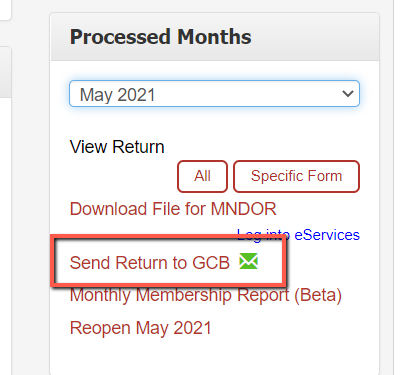
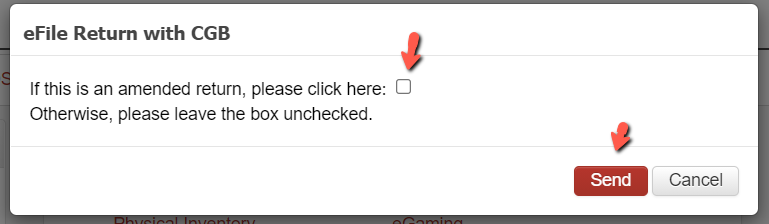
If your updates resulted in a change requiring an amended filing to the Gambling Control Board, then select the re-processed month from the dropdown and click the link to Send Return to GCB. Upon doing this process, select the option presented to send the data as an amended return.
Keep in mind that you will need to amend EACH month with the GCB starting with the month you amended to current.
MN Revenue
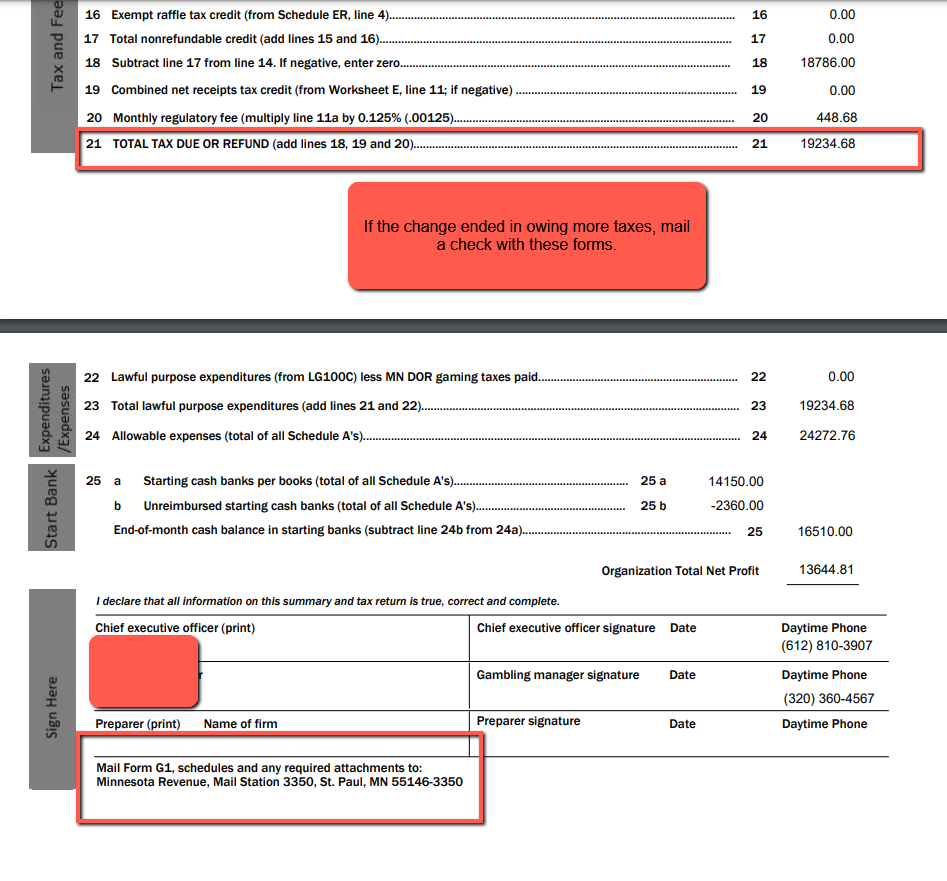
If you have a tax implication due to the changes you made or a serial number/inventory is changed,
send a paper Amended Return (G1, B2, Sch E) and a check (if necessary) to MN Revenue Mail Station 3350 St. Paul, MN 55146-3350.Only the month amended needs to be sent to MN Revenue.