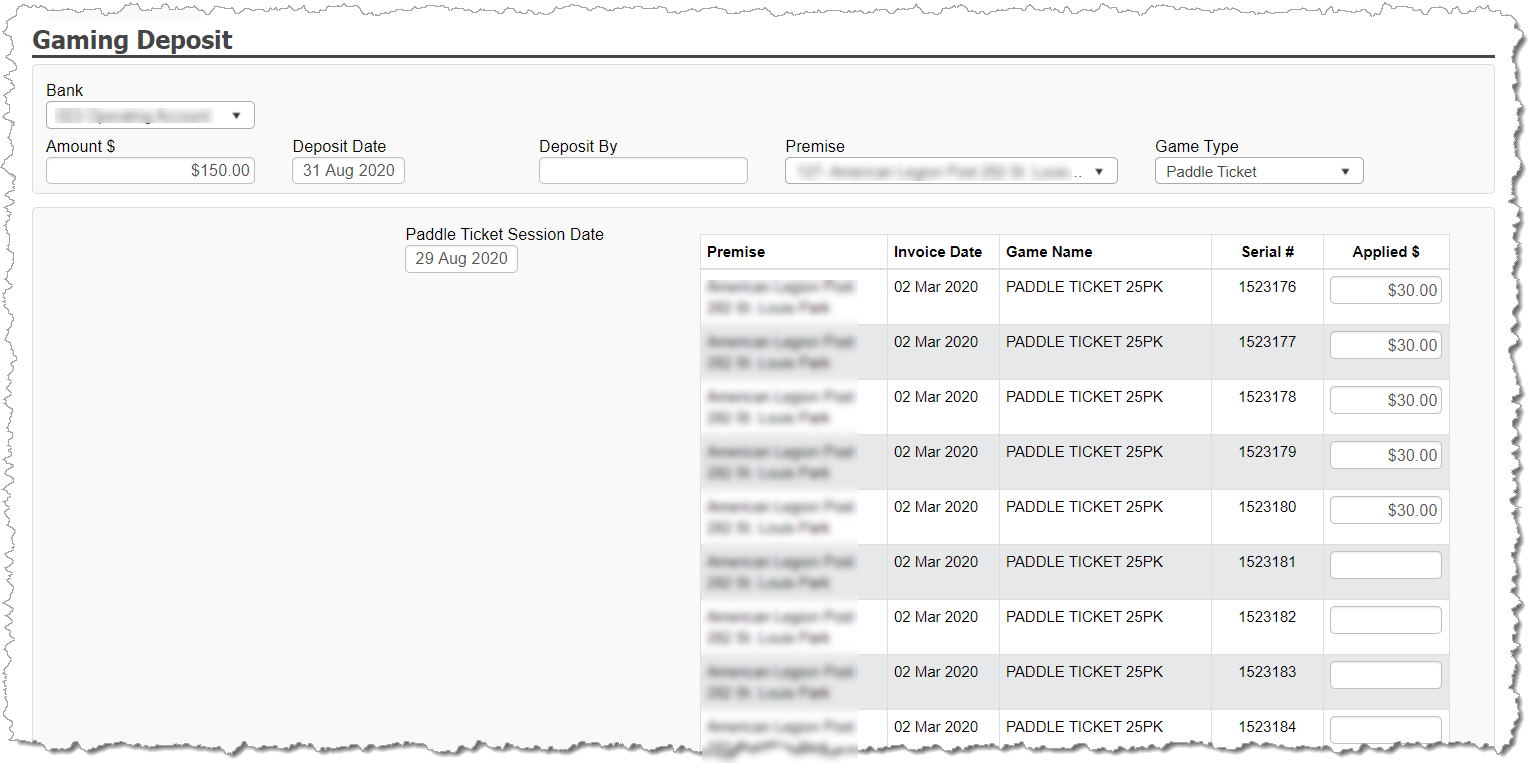
When entering a deposit, you must document the deposit at the individual serial number level. Entering a deposit into the application for a paddle ticket session results in the following:
The Bank Register is updated with the deposit transaction.
A Paddle Ticket SESSION is created in association to the deposit. The Cash-On-Hand value of the paddle ticket serial numbers within the session is linked with the deposit amount.
To enter a paddle ticket deposit, select BANKING and choose GAMING DEPOSIT.
Complete the header information:
Amount
Deposit Date
Deposited By (optional – used just for internal tracking)
Premise
Game Type = Paddle Ticket
· Select the Paddle Ticket Session Date. This should be the date the session actually took place. This will default to the Deposit Date, but can be modified and is normally a few days prior to the Deposit Date.
· Enter the deposit value associated to each specific serial number played in the session.