Under INVENTORY -> GAMING INVENTORY, select the button for ENTER INVENTORY.

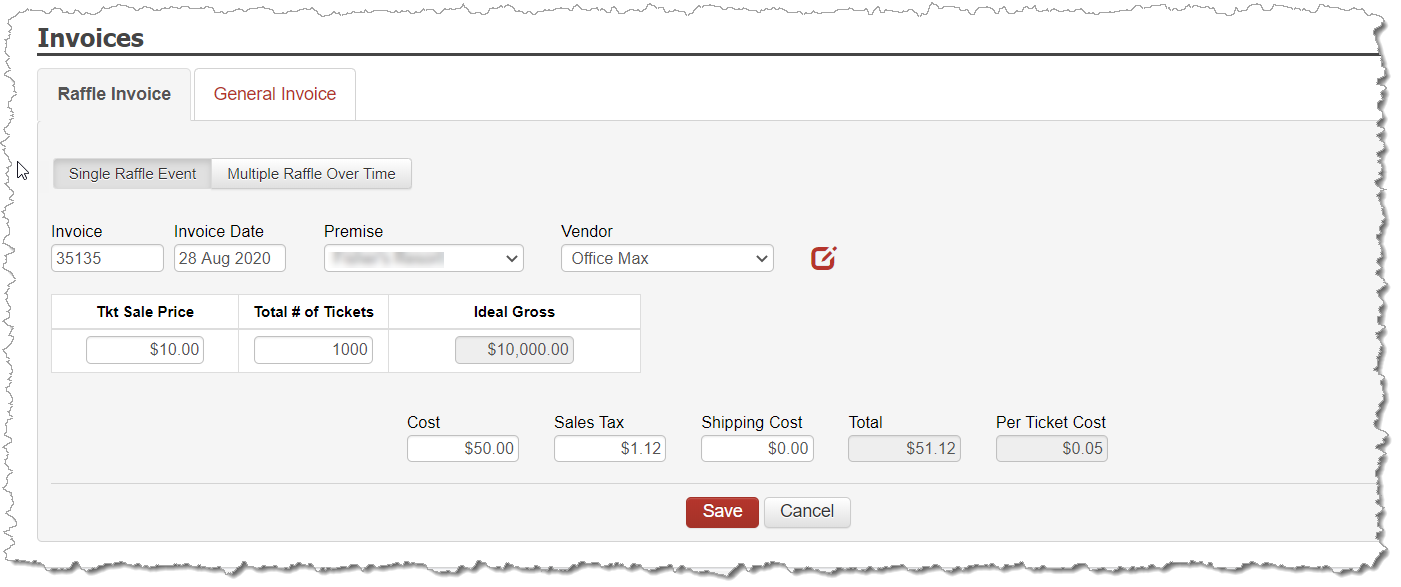
Enter the following fields based on the invoice you received from your vendor who printed/generated the raffle tickets for you:
Invoice Number
Invoice Date
Premise
Vendor who you are purchasing the raffle tickets from.
You may ADD a new vendor on the fly, if needed.
Maintain the selection for SINGLE RAFFLE EVENT
Ticket Sale Price – amount you are selling the tickets for.
Number of Tickets – Quantity of Tickets you had printed
Cost and Tax values at the bottom
Saving this Invoice will now create a Payable on your EXPENSES. To correctly document your expense for this invoice, the process is the same as paying a distributor for gambling product you receive. Go to BANKING -> EXPENSES and choose the tab at the top called GAMBLING PRODUCT. Select the vendor who generated the raffle tickets to apply the expense.