A credit memo for an In Play Defective Game is not entered the same as a credit memo for a returned game or a NOT In Play Defective Game.
An In Play Defective game is retained in the organizations sold/played inventory the same as a regular played game and as such must be entered as follows;
First, navigate to the GAMBLING PRODUCTS expense screen. Choose your vendor and then click ADD NON-GAMBLING PRODUCT INVOICE.
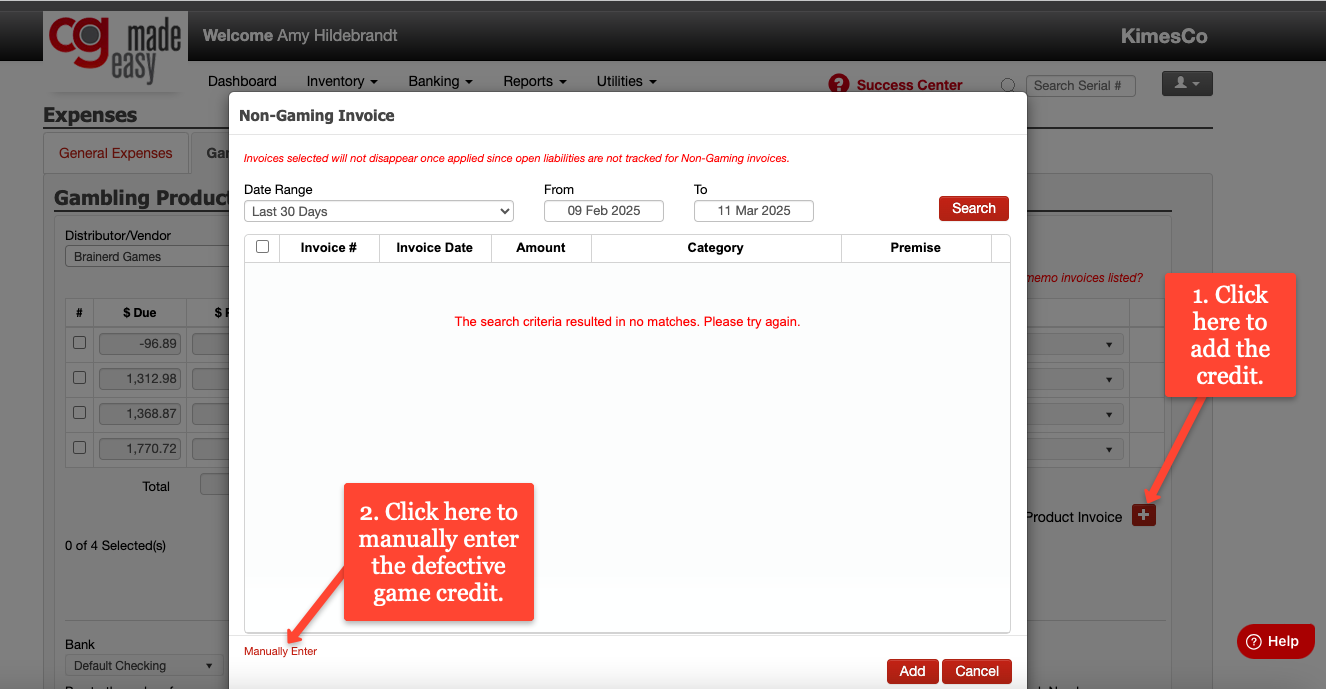
Next, Click MANUALLY ENTER.
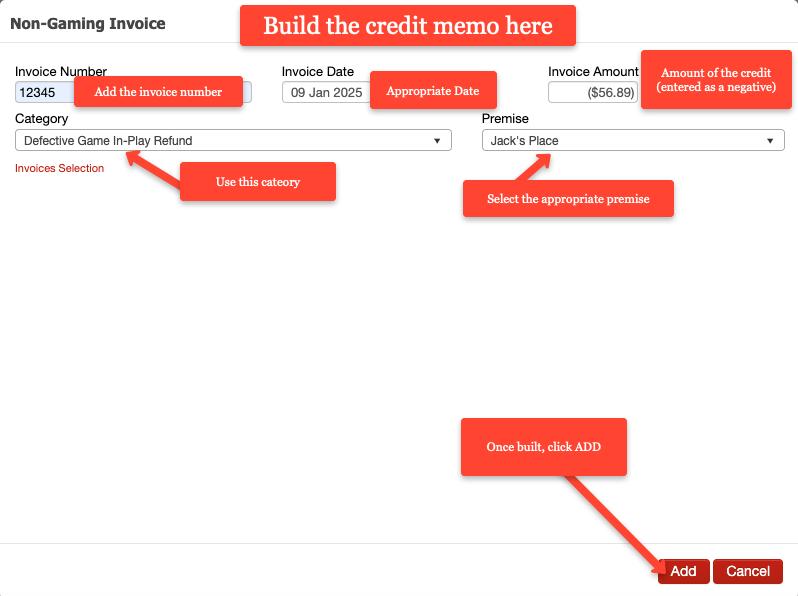
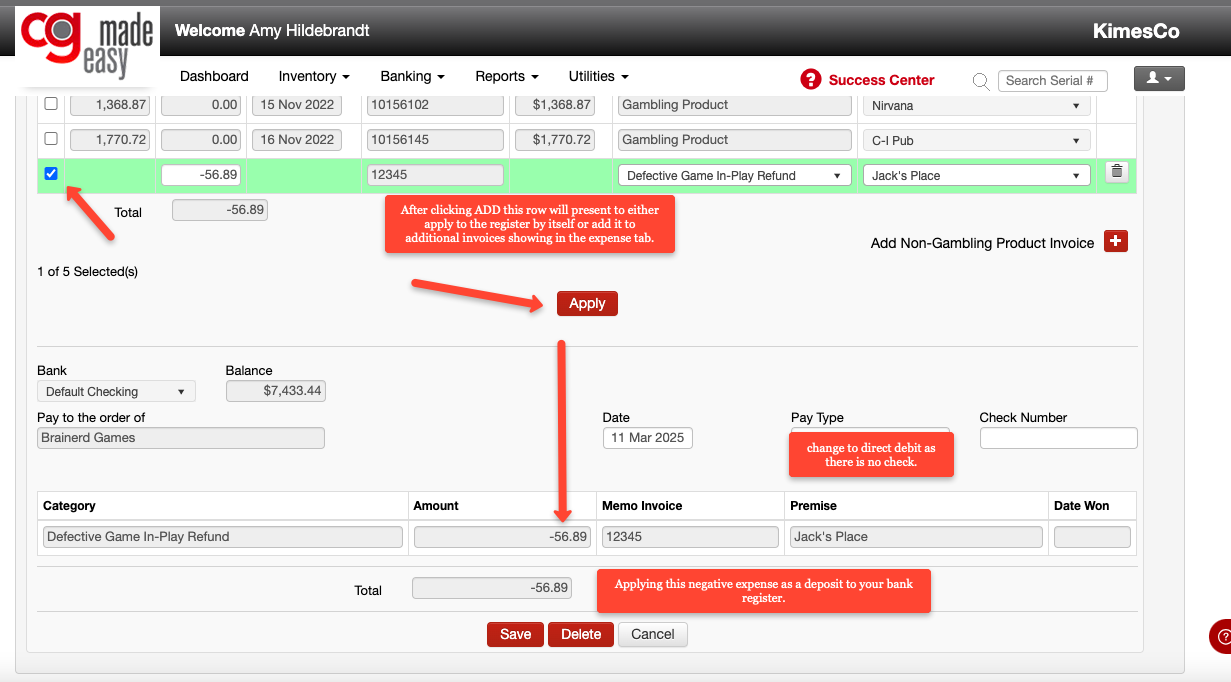
Clicking ADD will then create a row for that credit that you can either apply as a deposit transaction (you'll be entering this as a negative expense = same as a deposit).
OR
Apply it with the rest of the invoices that are included in the payment to the distributor.
Be sure to keep the game and the credit memo with your records for the required 3.5 years.