Entering a deposit into the application for the raffle session results in the following:
The Bank Register is updated with the deposit transaction.
A Raffle SESSION is created. The Cash-On-Hand value of the raffle serial number associated to the session is auto-updated with the deposit amount.
To enter a raffle deposit, select BANKING and choose GAMING DEPOSIT.
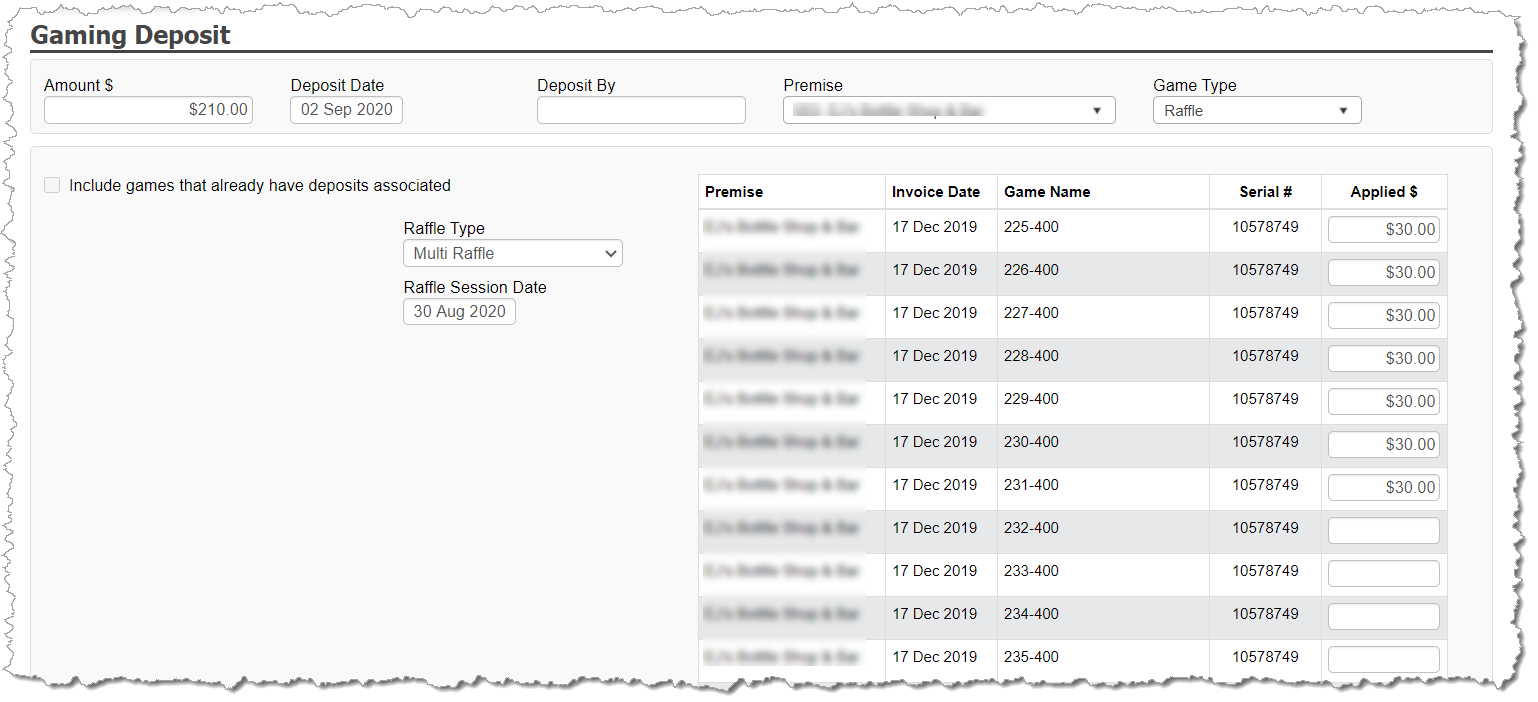
Complete the header information:
Amount
Deposit Date
Deposited By (optional – used just for internal tracking)
Premise
Game type = Raffle
In the results, change the Raffle Type to Multi Raffle
Enter the Session date of the raffle. By default, the session date is equal to the deposit date. Assuming the session date took place PRIOR to the deposit date, adjust the session date as needed.
On the right, each multi-raffle series within the inventory available to have deposits applied appear. Enter the deposit value against each raffle within the series that was played in your session.