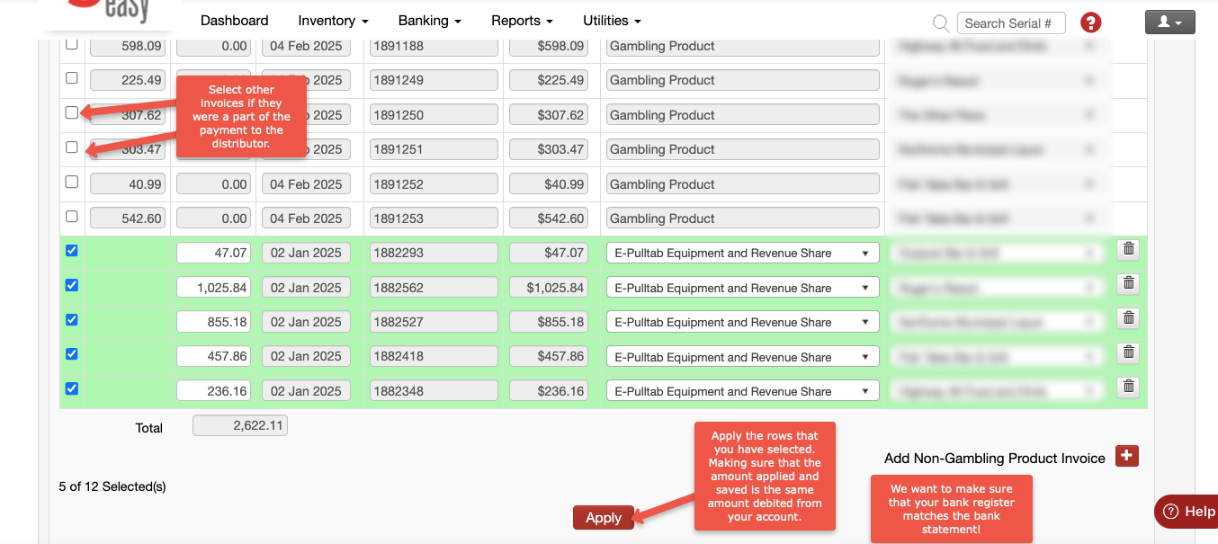
Once you add eGaming to your operations you have a few more expenses to contend with. The first expense is from your distributor. You will be paying for your eGaming equipment and your Revenue Share.
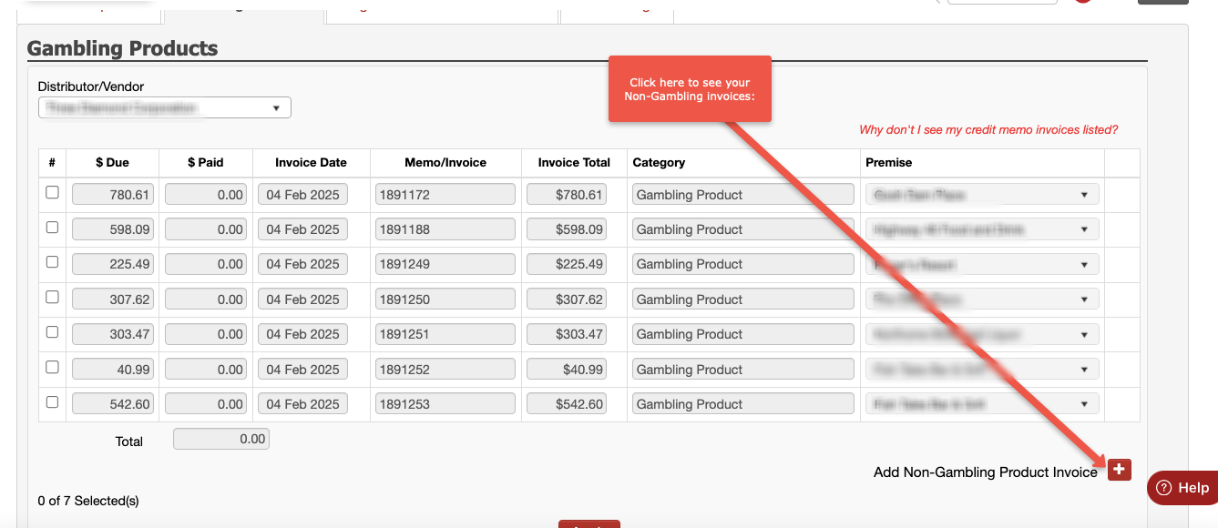
These invoices are considered NON-GAMBLING PRODUCT invoices but can still be found in your GAMBLING PRODUCTS expense screen.
BANKING - EXPENSES - choose the GAMBLING PRODUCTS expense screen. There you will see all of your gaming invoices, but you can click on the little red box with a white plus sign that will take you to your NON-GAMING INVOICES:
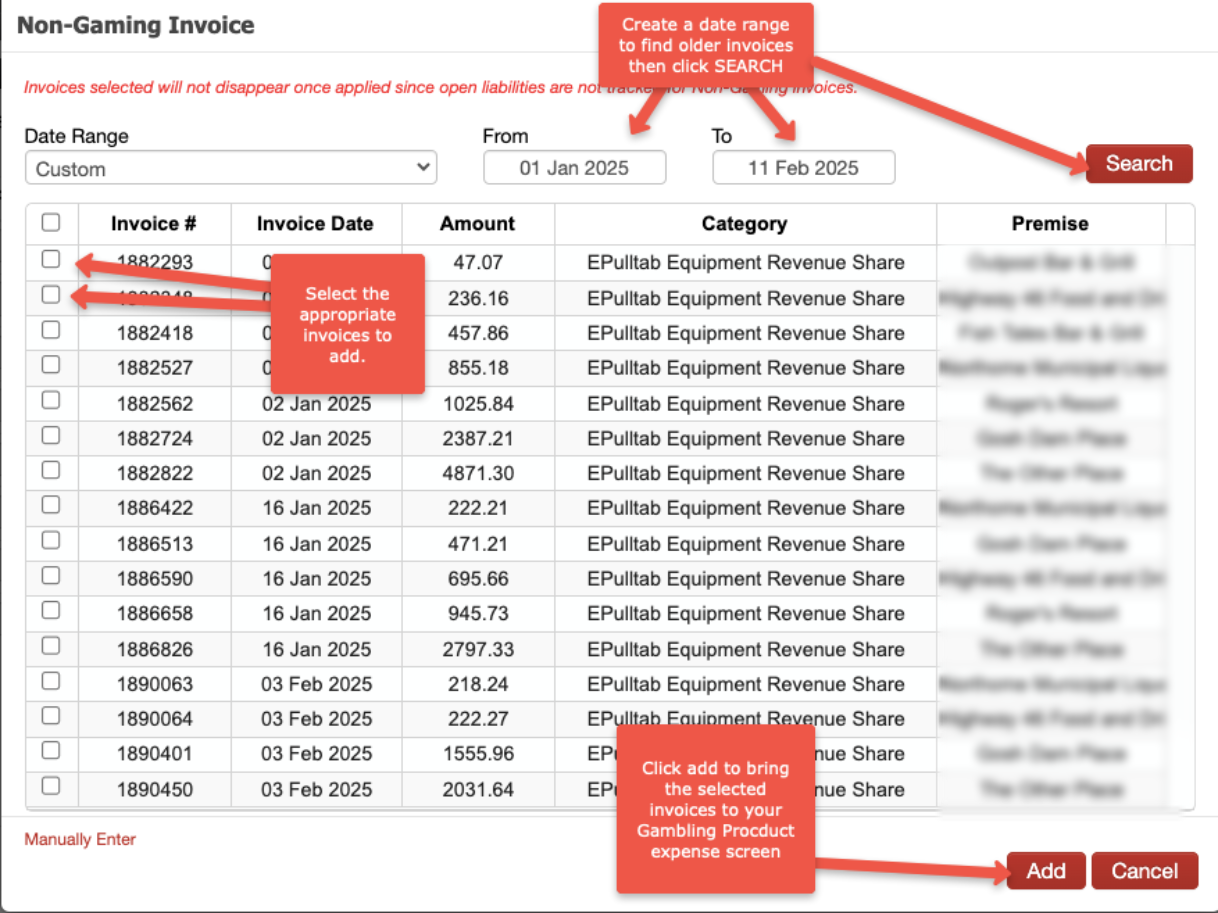
A box will pop-up and you can see your invoices. If they don't all show, you may need to adjust the date range box to show older invoices:
Once the invoices are added, you'll see them in your expense screen to APPLY - enter in the payment date and check number (or direct debit).
You can add just the ePulltab Equipment and Revenue Share invoices OR if the payment to the distributor included gaming invoices, you can add them to the payment as well.