Your entered a deposit (or negative session entry) creating the bingo session. That session is now able to be audited.
All un-audited bingo sessions appear on the Dashboard so you can track which sessions still need to be completed prior to closing the month.
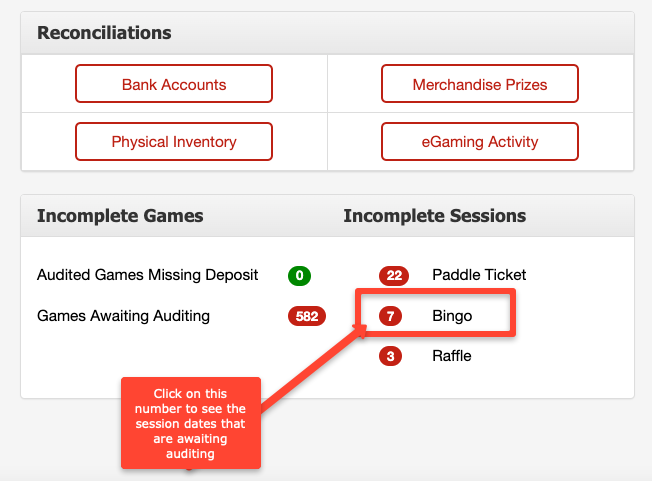
You can also access the sessions to audit by:
Going to Inventory and selecting Gaming Inventory and pulling up the serial number from the desired session.
Entering the serial number within the Search Serial# option at top right corner of any screen.
The right side of the Bingo Gaming Detail screen lists all documented sessions for that serial number. You can click into the date to access the Session Detail screen to complete the audit.
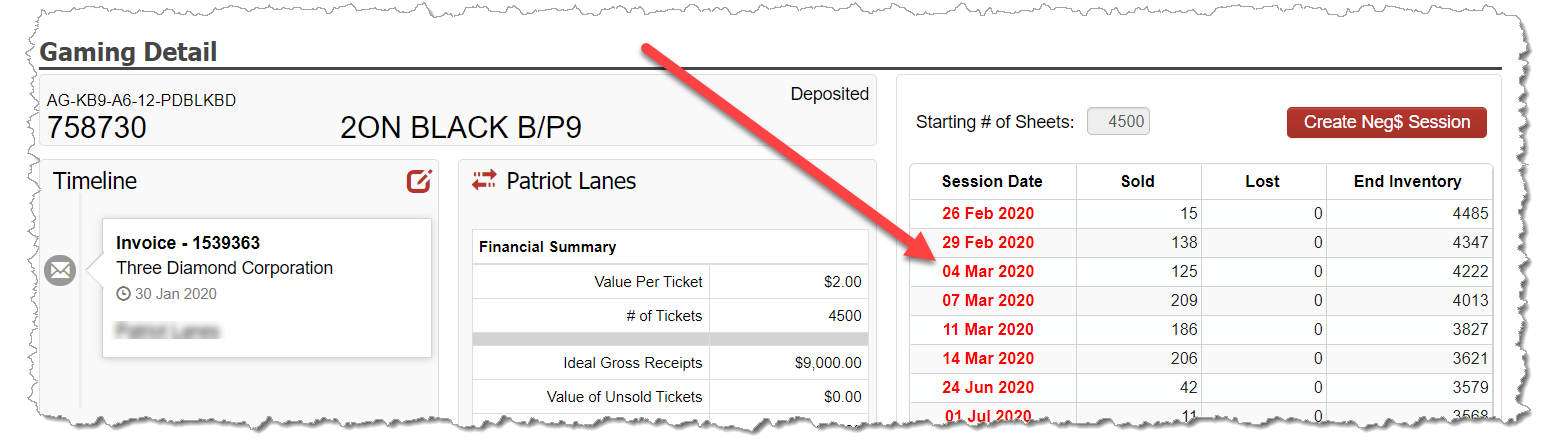
Enter Bingo Audit
To complete your bingo audit, follow these steps:
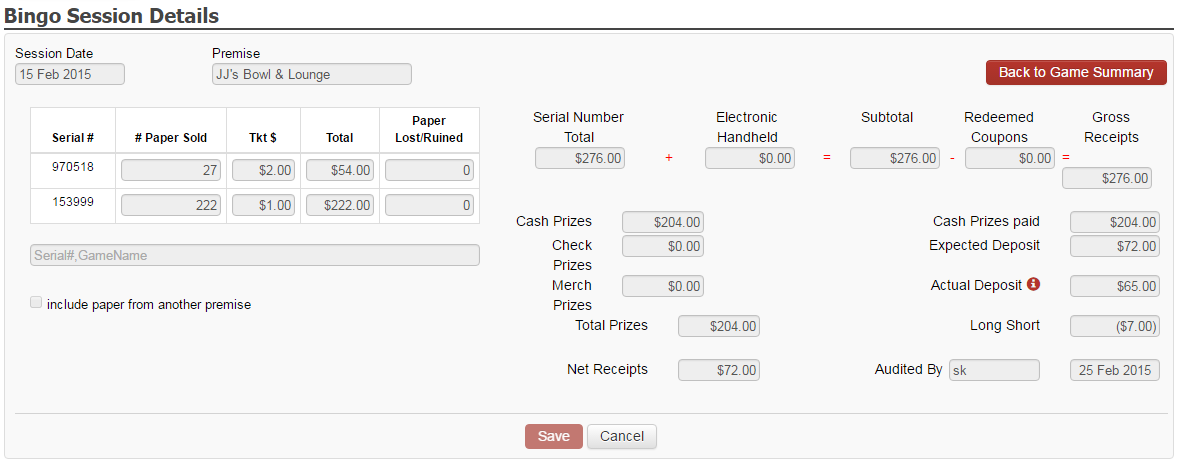
Add any additional serial numbers played in the session by entering the serial number with the bottom left field. Choose the desired serial number to add to the session as the serial number becomes available to select.
Enter the # of Paper sheets Sold in the column provided.
If any bingo paper was lost or ruined as part of the session, document that in the provided field in order to keep accurate tracking of your bingo paper inventory.
Complete the necessary fields on the right side of the screen including:
Redeemed Coupons
Cash Prizes
Merchandise Prizes
Finally, complete the Audited By and Date fields with the desired information.
Prior to hitting Save, validate the Long/Short values match with your bingo session paperwork.