Depositing Single Raffle Cash in Hand
Entering a deposit into the application for the raffle session results in the following:
The Bank Register is updated with the deposit transaction.
A Raffle SESSION is created. The Cash-On-Hand value of the raffle serial number associated to the session is auto-updated with the deposit amount.
To enter a raffle deposit, select BANKING and choose GAMING DEPOSIT.
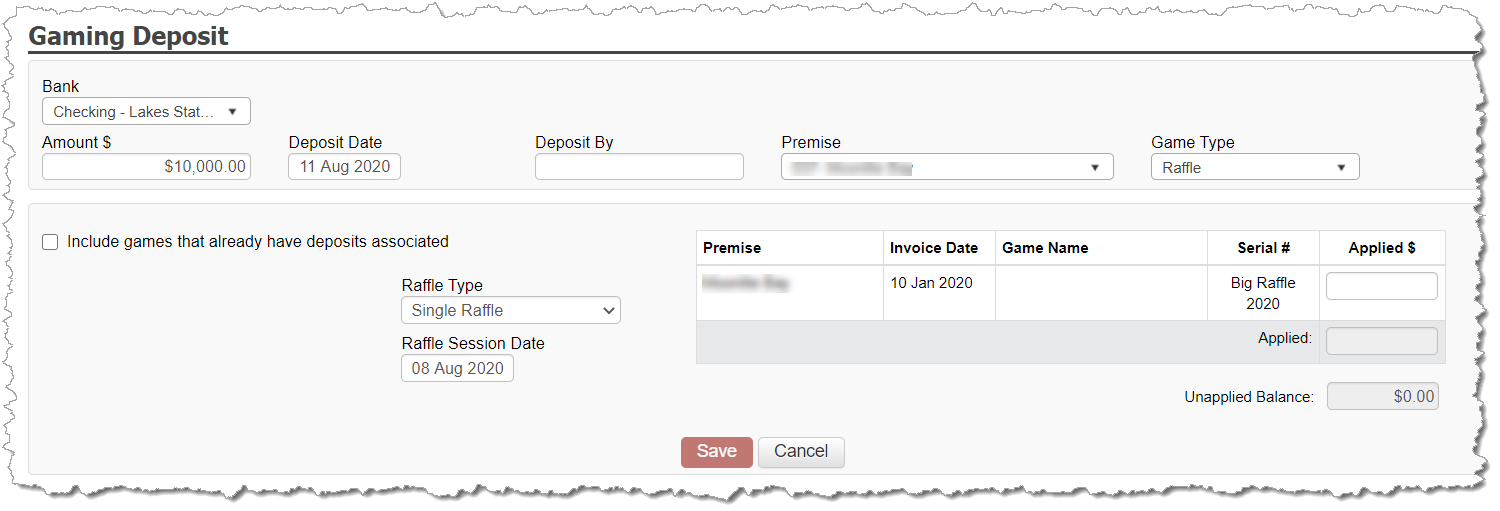
Complete the header information:
Amount
Deposit Date
Deposited By (optional – used just for internal tracking)
Premise
Game Type = Raffle
In the results, leave the Raffle Type as Single Raffle
Enter the Session date of the raffle.
By default, the session date is equal to the deposit date. Assuming the session date took place PRIOR to the deposit date, adjust the session date as needed.
If the raffle will take place in the future, but you prefer to deposit the funds received prior to the session date, the session date will be then entered as a date in the future. If the session date falls within a future month compared to the deposit date month, then the deposited amount will appear on the Schedule F as required since you have deposits entered for gaming activity that is not yet being reported on the tax return.
On the right, the single raffle inventory available to have deposits applied appear. Enter the deposit value against the raffle serial number played in your session.
Multiple Deposits against a Raffle Session
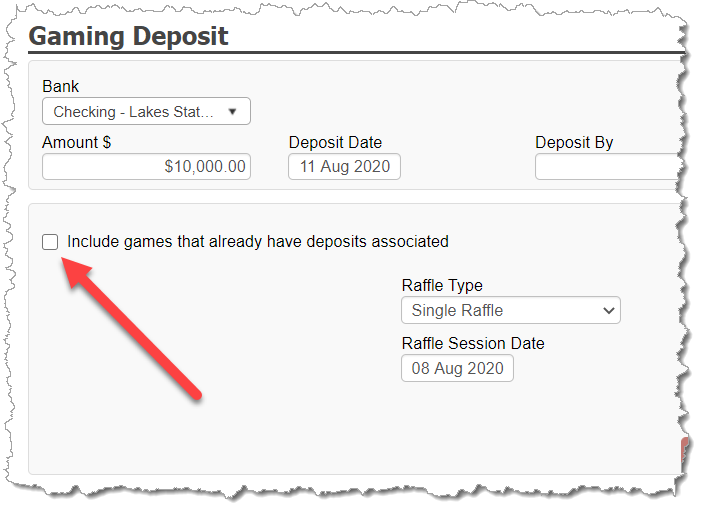
It is possible that multiple deposits may be made against a raffle session. For example, if funds are received several weeks or months prior to the session date, ongoing deposits may be desired to get the funds in the bank.
CG Made Easy support multiple raffle deposits as long as the same SESSION DATE is used for all deposits. The SESSION DATE can be a date in a future monthly period when deposits are made in a current month when the raffle is not going to take place until a future month.
After an initial deposit is made, to apply subsequent deposits against a raffle serial number, be sure to select the checkbox Include games that already have deposits associated on the Gaming Deposit screen.