Similar to a pulltab game closing under bank whereby a check is written to replenish the start bank, the same can happen with eGaming. Most commonly this occurs at month end where the undeposited activity dates at the end of the month total a negative amount equal to the amount needed to bring the start bank back whole for the start of the following month. However, it can happen where large winners are awarded mid-month and you must replenish the start bank, thereby needing to document the negative activity transaction for the dates being reimbursed.
Consider the following scenario:
The last deposit was made for activity from the 22th-27th of the month
The activity from the 28th resulted in a negative $2840.77 (under bank)
The activity for the 29th - 31st was positive again, but those 3 days only accounted for $400.
So at month-end, the total activity for the 28th – 31st = $2440.77 negative. At month-end, like a pulltab game that closes under bank, a check is written for the $2440.77 for Cash (Negative Game Reimbursement) to bring the start bank whole for the first of the month.
In order to account for the negative activity transaction that will offset the check being written, you must
document the Negative Activity.
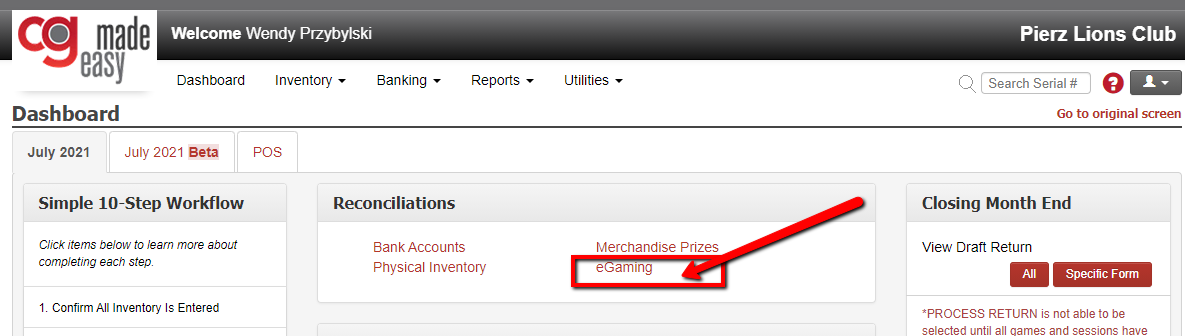
From the Dashboard, select the eGaming Reconciliation button to go to that screen.
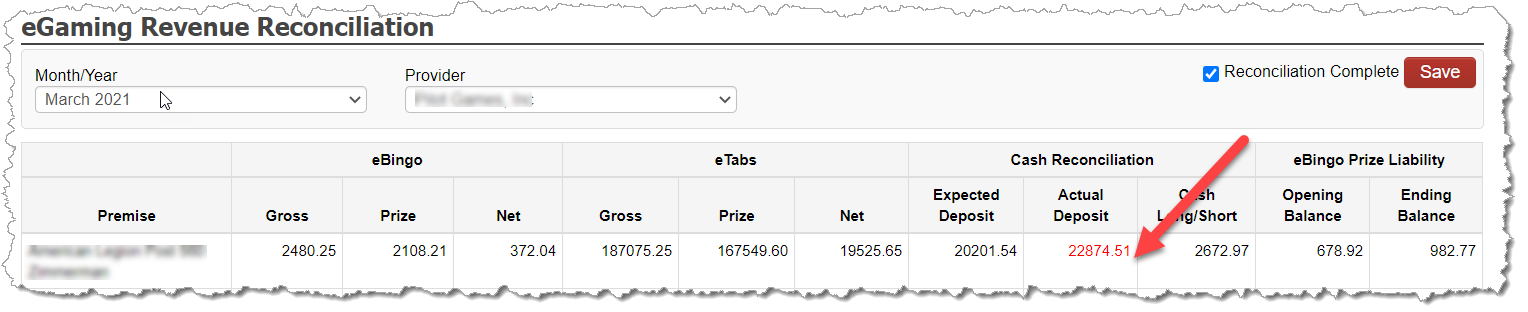
Click the Actual Deposit link to view the Deposit Detail Breakdown
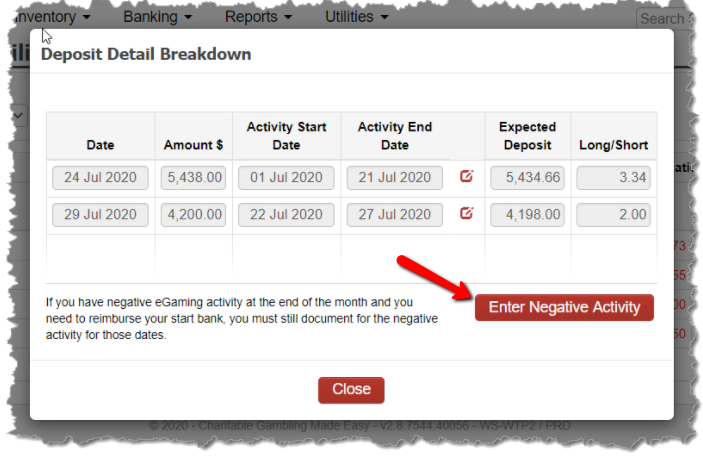
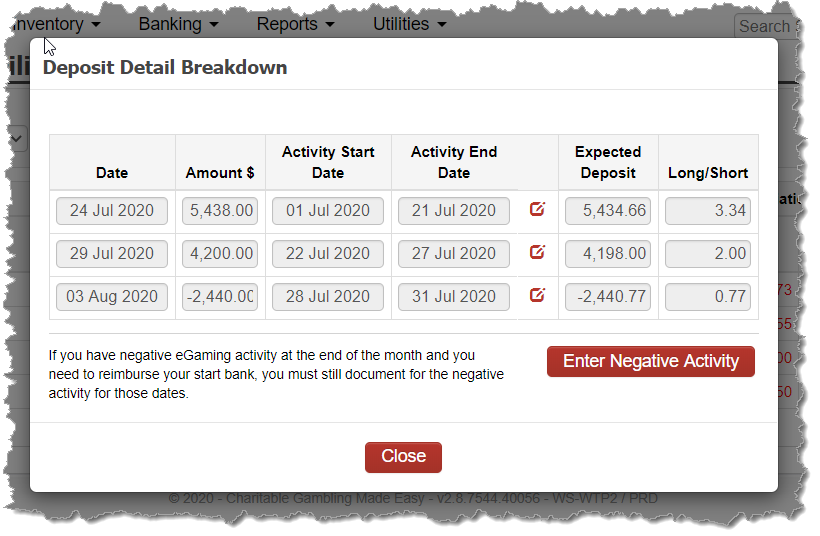
On the premise’s Deposit Detail Breakdown, select the Enter Negative Activity button.
On the secondary pop-up, select the date range for the activity that the reimbursement check will be accounting for. Using the example above, we’ve selected July 28-31.
The system will show the expected negative activity for the date range entered based on the imported data from the eGaming providers.
Enter the negative amount in which the check is being written to bring the start banks back to whole. This may not always be the exact same value as the Expected Negative Activity values depending on the exact value of the remaining start bank at the premise.
Save your entry.
Once you save, the transaction is captured and the new row is added to the Deposit Detail Breakdown popup showing the entered details:
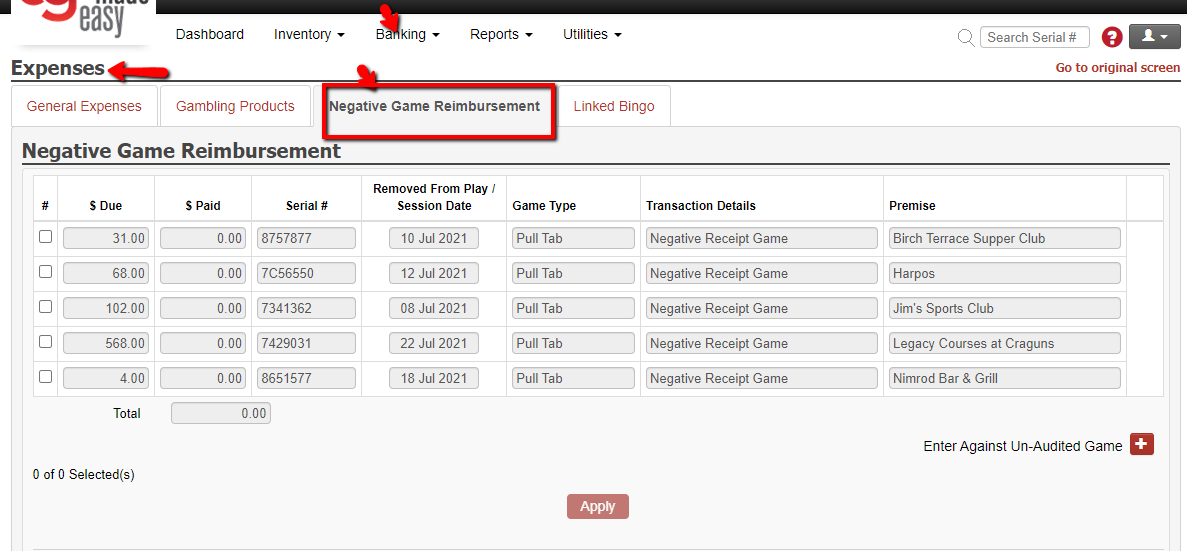
Now, you can enter the check (expense) that you wrote for this amount by going to BANKING -> EXPENSES and selecting the Negative Game Reimbursement at the top. You will find the negative eGaming activity value as one of the payable rows for you to select and document against your check.