When playing bingo with hard cards you have two options for reporting that bingo session.
OPTION ONE: If you already have bingo paper inventory at the premise that you played the hard cards, you can create the bingo session with one of those serial numbers.
Step One: BANKING - GAMING DEPOSIT - choose bingo for the correct premise and apply the deposit to one of the serial numbers in inventory. We won't be selling any of those papers, but this allows you to apply the deposit and create the session date.
Once the session date is created you will audit the bingo with a slight "twist". Rather than showing how many papers sold, we will be putting all of your sales in the ELECTRONIC HANDHELD box:
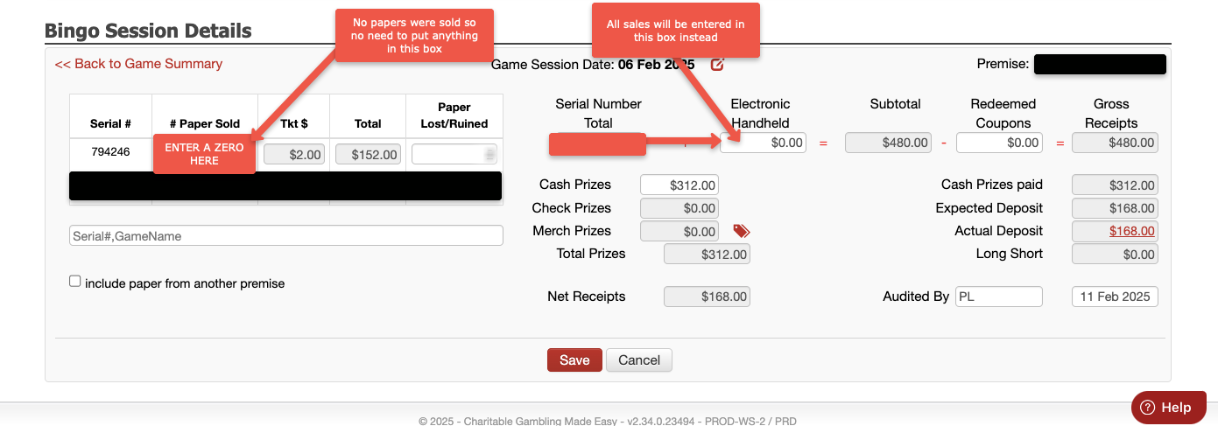
Once you have put in your sales, then your CASH PRIZES paid out will go in the same box it always does. Enter AUDITED BY - then SAVE. DONE!
OPTION TWO: If you don't have any bingo inventory to apply a deposit towards, then you can create HARD CARD inventory. INVENTORY - GAMING INVENTORY -click on ENTER INVENTORY - fill in the fields as shown below:
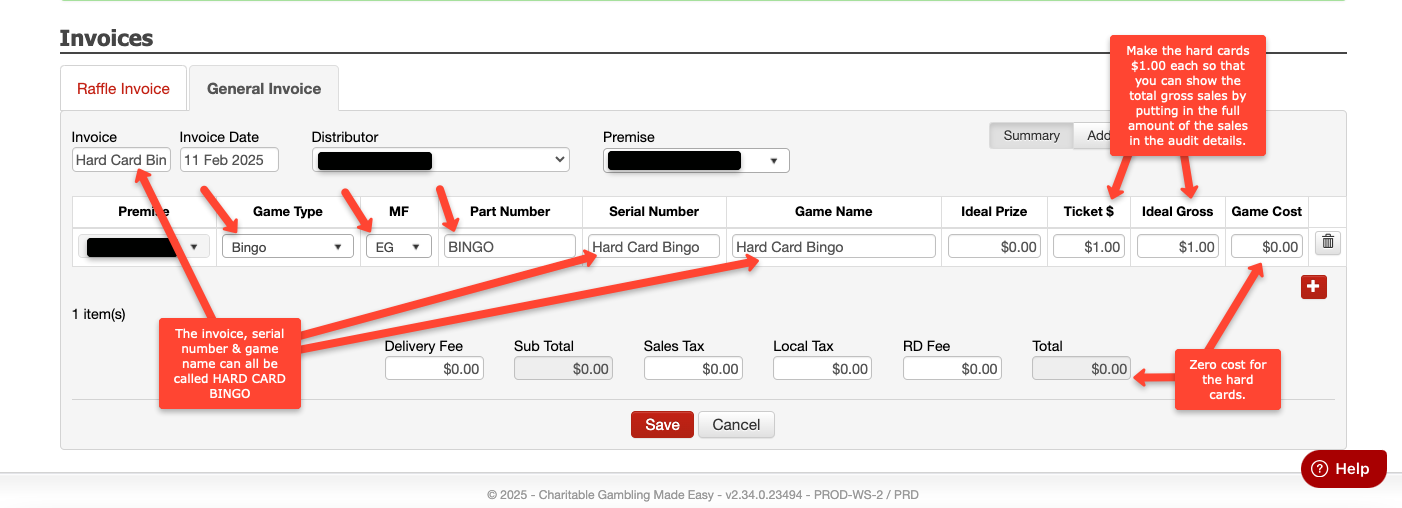
Saving this inventory to your system will allow you to create a bingo session with a deposit and apply it to your new Hard Card Bingo inventory.
Once in the audit screen, you'll follow the instructions above, where you will put your sales in the HAND HELD ELECTRONICS box rather than using your inventory. (Your inventory doesn't have a count, rather it's there as a placeholder to apply your deposit towards).
Enter your prizes paid out, audited by, and SAVE.