Once you have entered the deposit and audit details of a game, that game is now on a B2 report. To review your work you can go to DASHBOARD - under CLOSING MONTH END click SPECIFIC FORM. There you can choose the B2 for a specific premise and RUN:
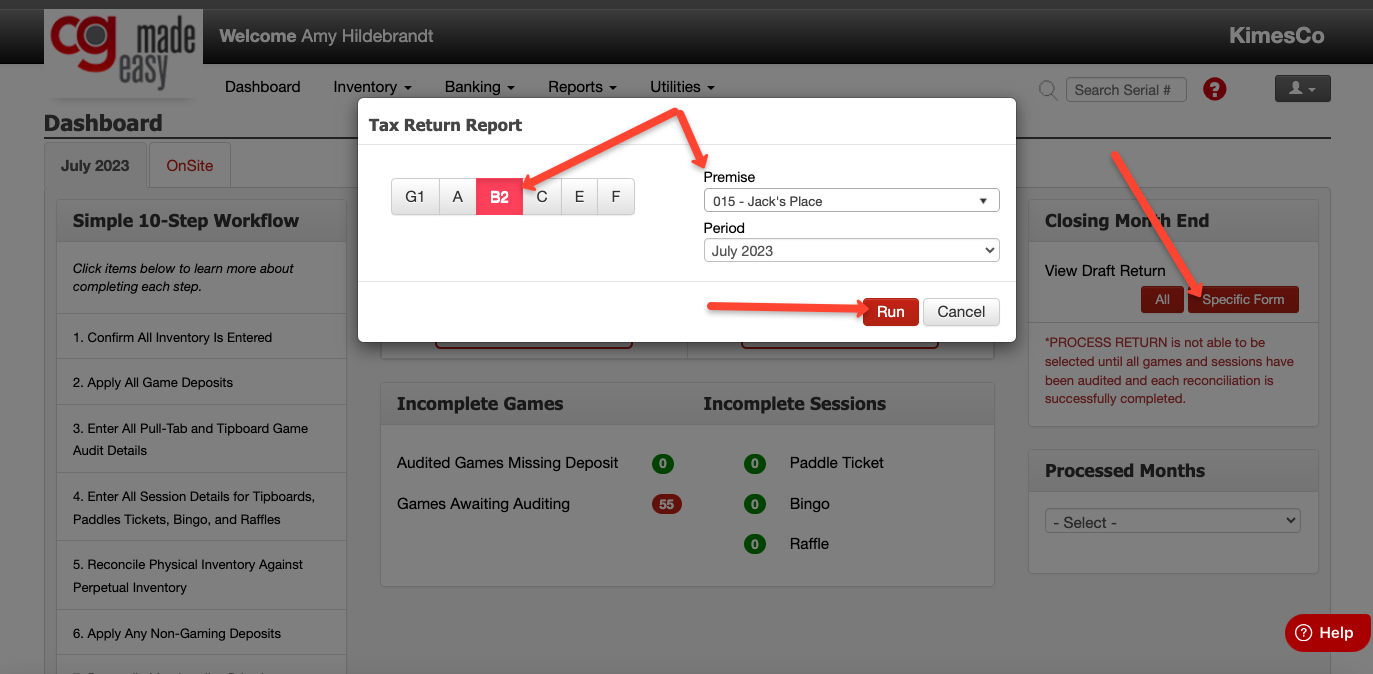
This will give you a draft of your current month's B2. You'll be able to check your work or see what games you have entered so far. If any changes are necessary, go back to the game audit screen and make the changes needed. Remember to click SAVE whenever you make changes in the system!