Your entered deposit created the paddle ticket session based on the session date entered on the deposit. That session is then able to be audited.
Your un-audited sessions appear on the Dashboard so you can track which sessions still need to be completed.
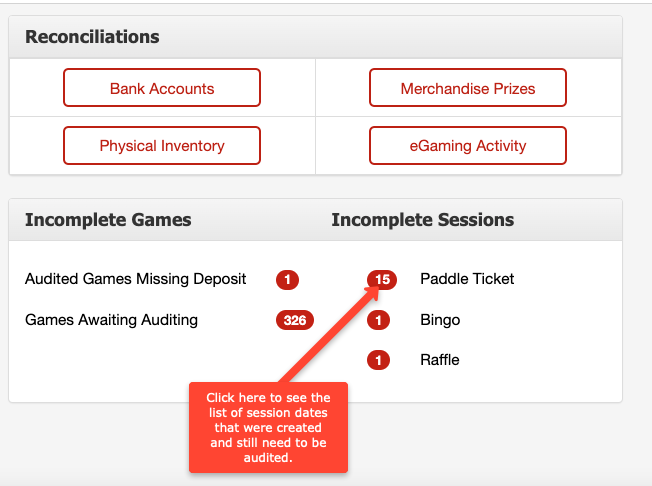
You can also access the sessions to audit by:
Going to INVENTORY and selecting GAMING INVENTORY and pulling up the serial number from the desired session. Then click on the session date on the right side of the screen.
Entering the serial number within the Search Serial field on the top right corner of any screen. Then click on the session date on the right side of the screen.